
Keyboard-first, genuinely
The entire triage loop — navigate, compare, rate, keyword, file — works without the mouse. Every screenshot on this site was taken by driving Qix through its own keyboard interface.
Your files, plain on disk
The library is just folders of standard files. Keywords, ratings, and captions are written into the files themselves. No database, no sidecar city, no lock-in — Finder and exiftool see everything.
Never destroys data
Nothing is ever deleted — only moved to the macOS Trash. Nothing is overwritten, ever. Cross-disk moves verify a hash before touching the source. Everything is undoable with ⌘Z.
Agent-ready
An embedded MCP server gives AI agents Qix's own command layer — search, inspect, keyword, file — with every safety rail intact, and every agent edit undoable from the keyboard.
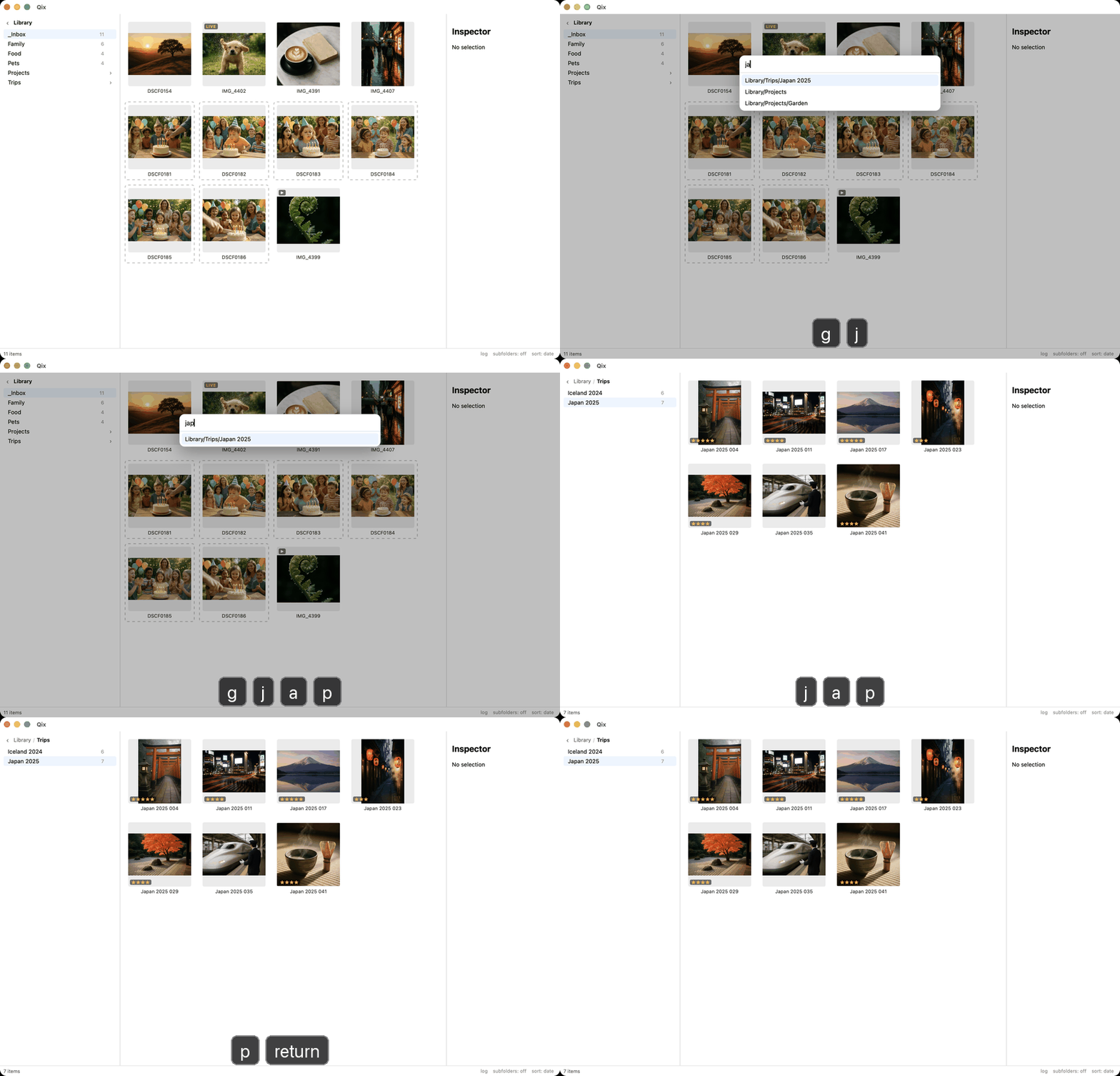
Fly anywhere with two keystrokes.
Press g and type a few letters — jap is enough to reach Trips/Japan 2025. Press m instead and the same fuzzy palette moves the selection there, optionally renaming files by your pattern as they file. Recent destinations float to the top; a folder that doesn't exist yet is offered for creation.
Filing a shoot stops being a drag-and-drop workout and becomes a sentence you type.
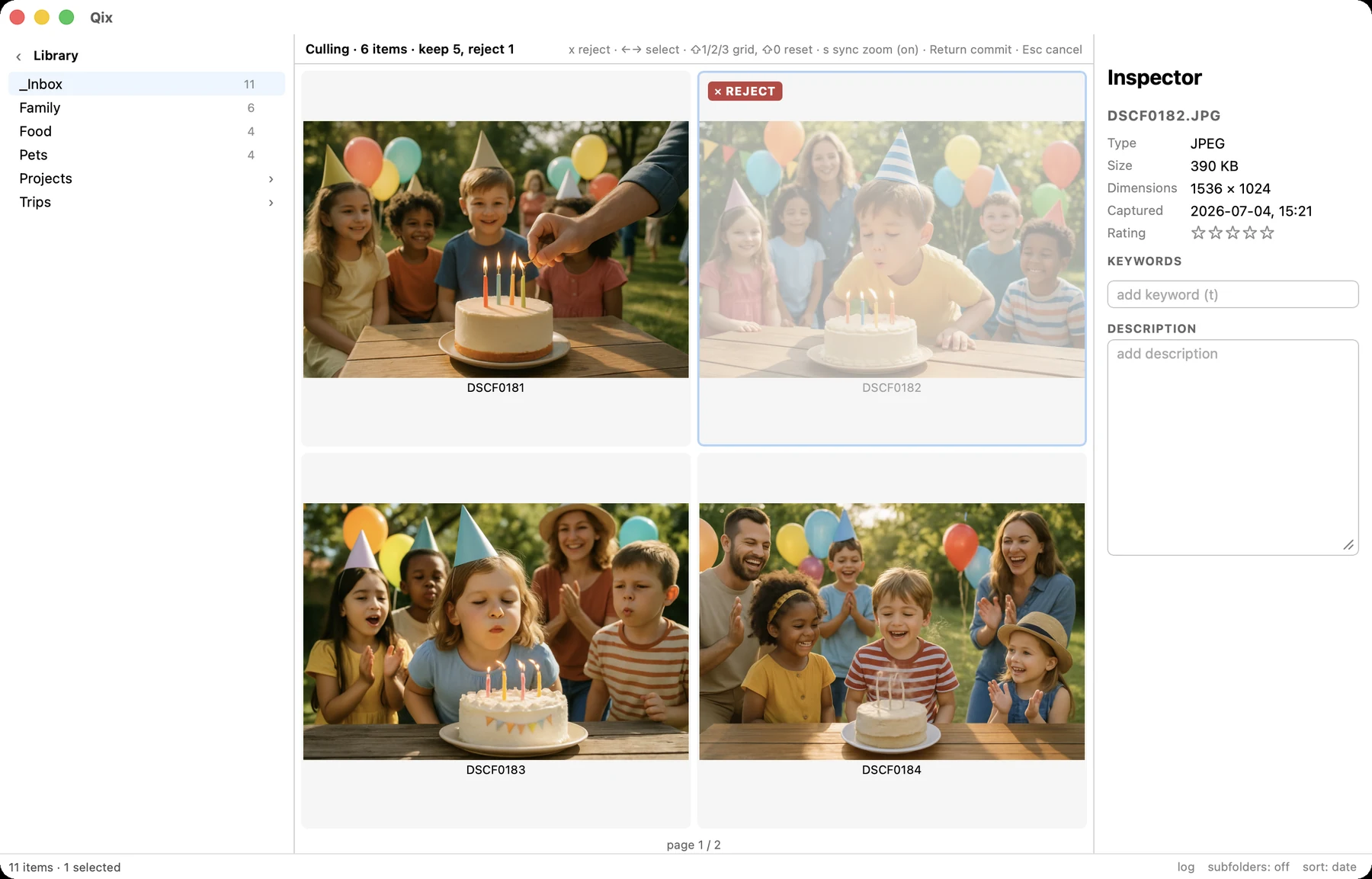
Cull bursts side by side.
Qix spots bursts automatically — consecutive shots seconds apart from the same camera get a subtle group outline. Press c to compare them 2×2 or 3×3 with synchronized zoom and pan, mark rejects with x, and commit. Keepers stay; rejects go to the Trash — pair-atomically, as one undo entry.
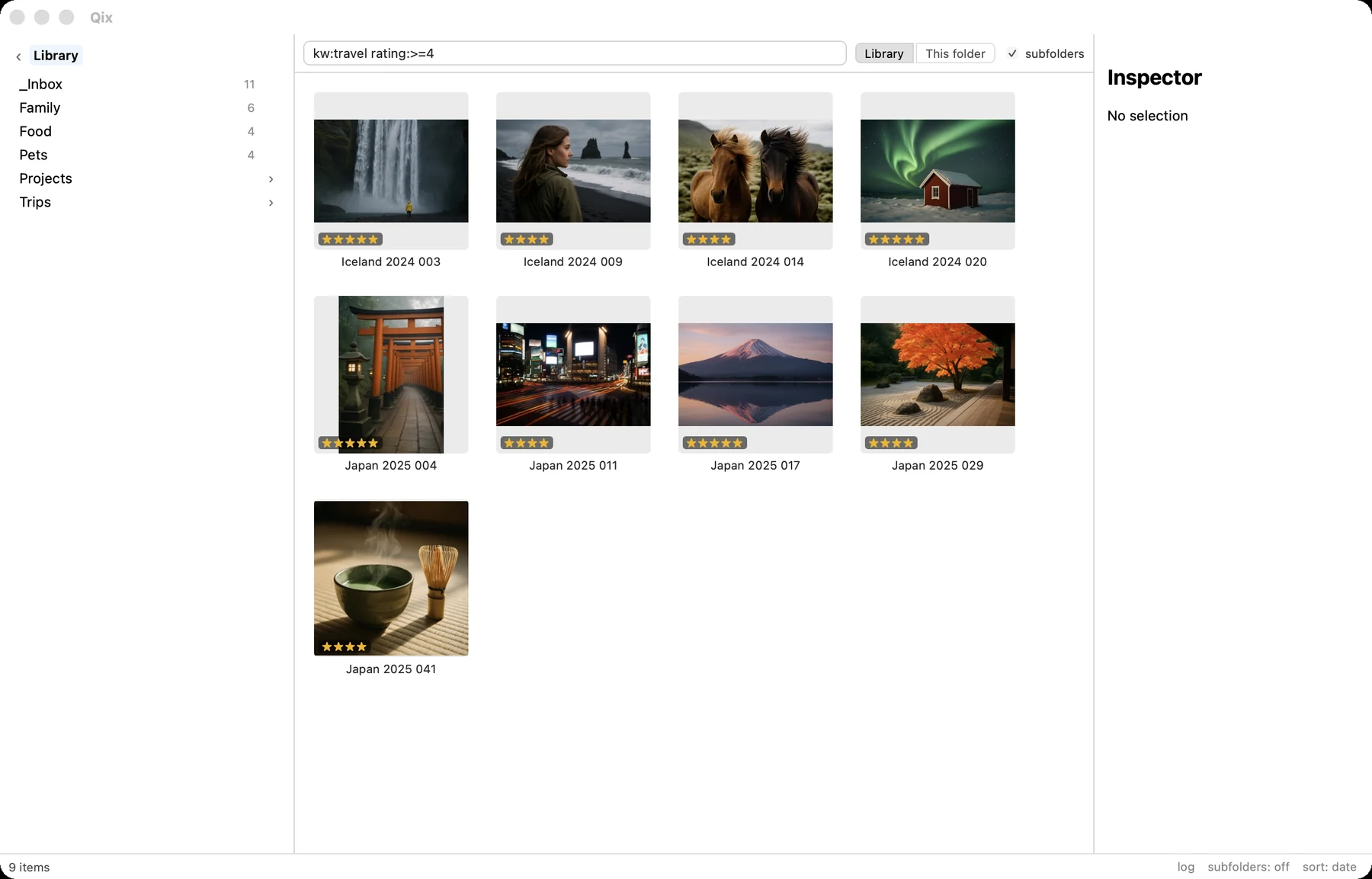
Search the whole library as you type.
Press ⌘F and write queries like kw:travel rating:>=4 2025 or camera:x-t5 -food. Results land in the same grid, so you can rate, keyword, move, or open them like anything else. Press r to reveal a hit in its home folder.
Search runs on an in-memory metadata index — it keeps up with every keystroke.
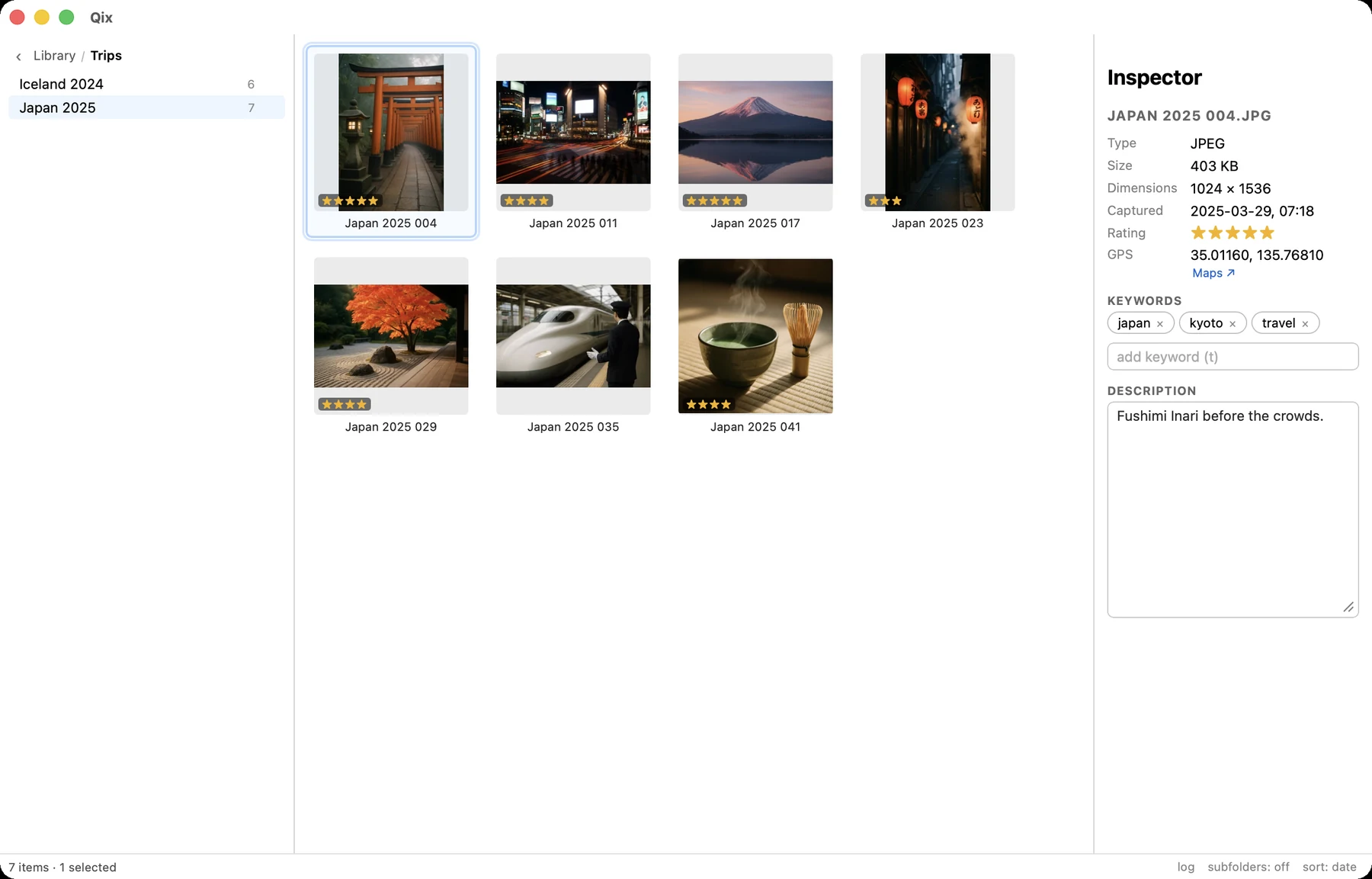
Metadata that lives in the files.
Ratings are standard XMP stars that Lightroom and Photos understand. Keywords go into the files as XMP subjects (plus legacy IPTC where the format supports it), with frequency-ranked autocomplete built from your own library. Captions sync all three metadata families the MWG way.
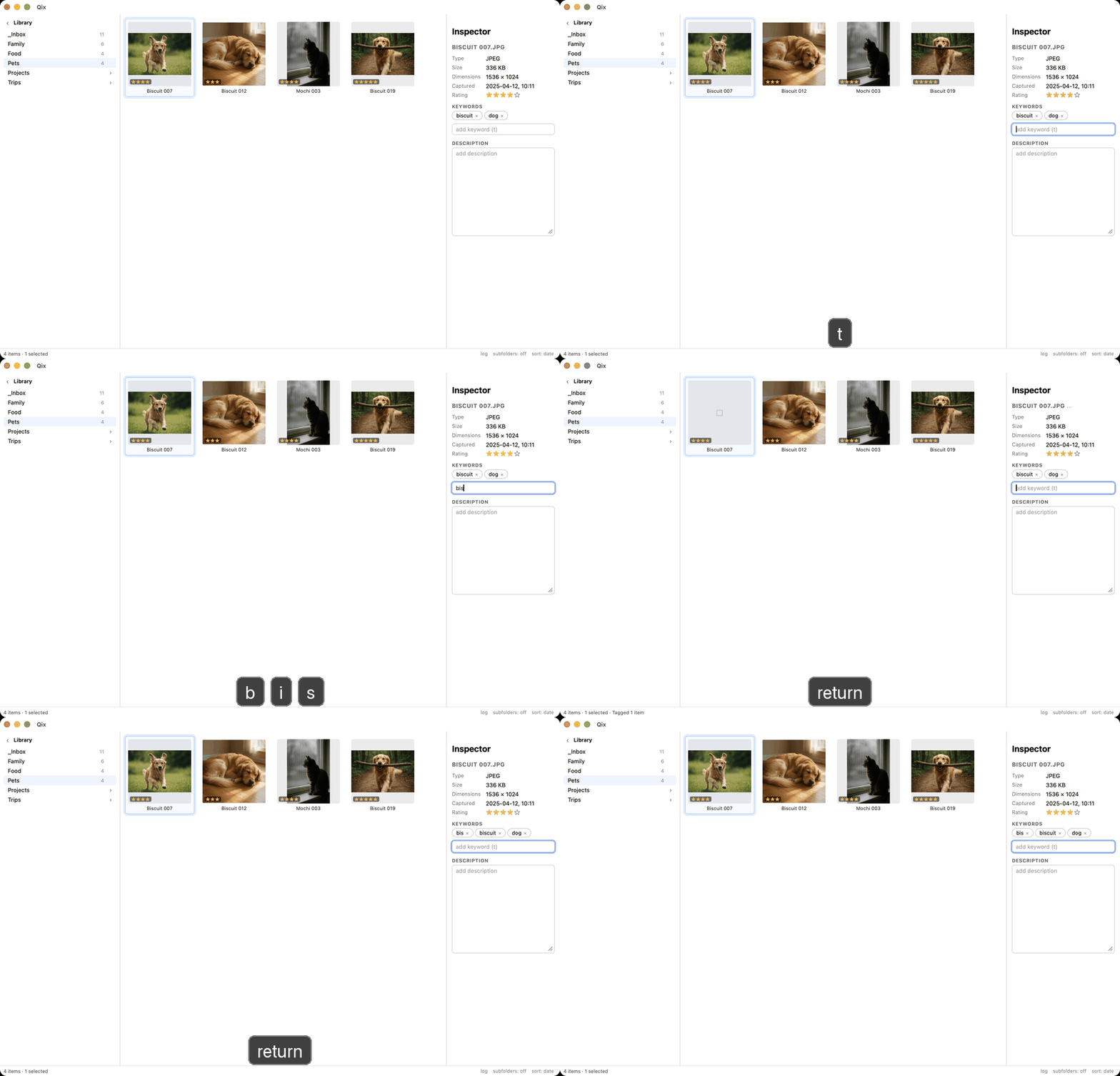
Press t, tag the whole selection, press 1–5 to rate. Every write is verified by reading it back.
Live Photos stay whole.
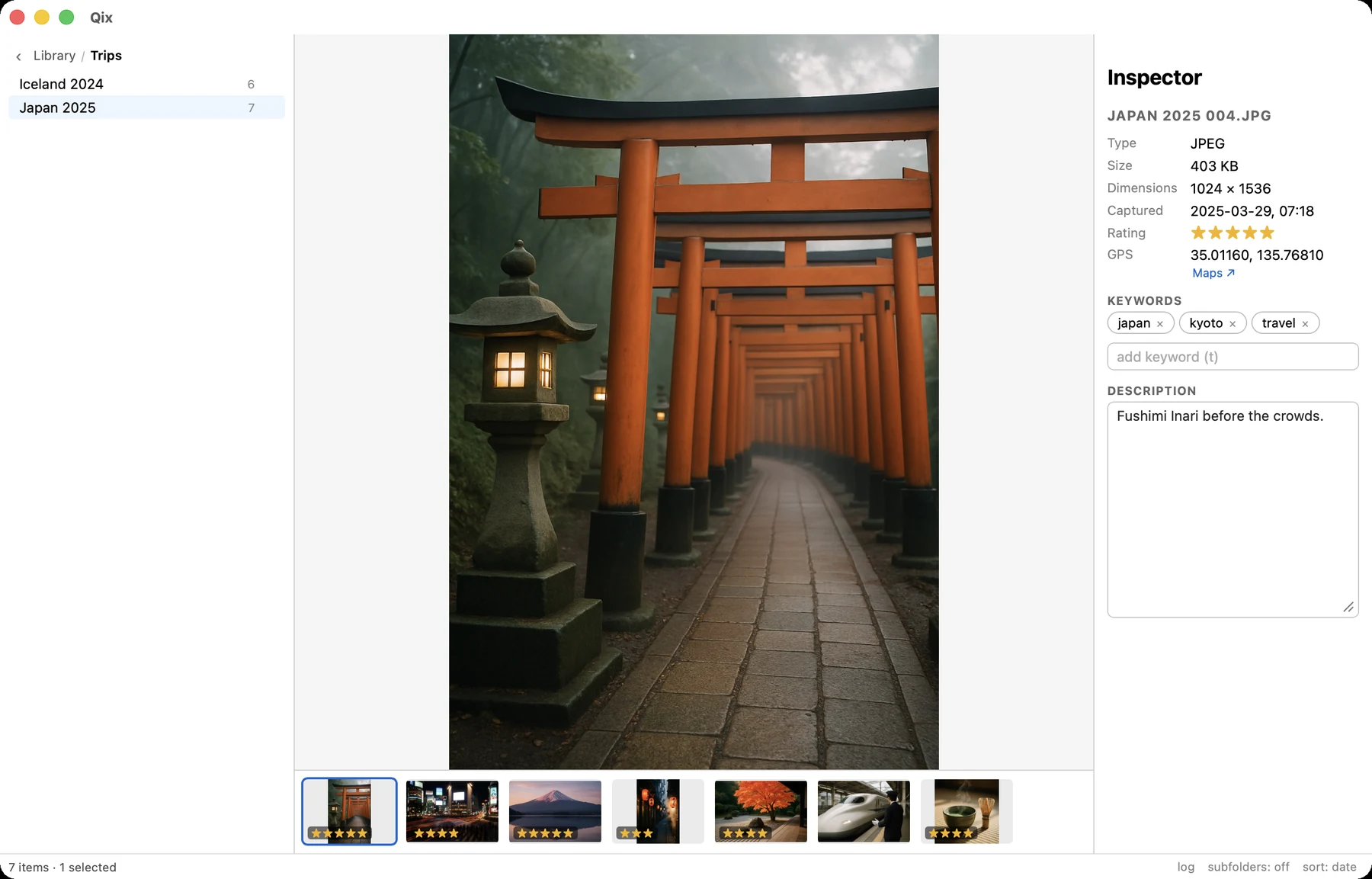
A Live Photo is two files pretending to be one. Qix treats the pair as a single item everywhere — move it, rename it, trash it, and both members travel together with basenames in sync, or nothing happens at all. Hold Space in the viewer to play the live video.
A lone .mov whose image went missing gets flagged, never silently adopted.
Rename by pattern, preview first.
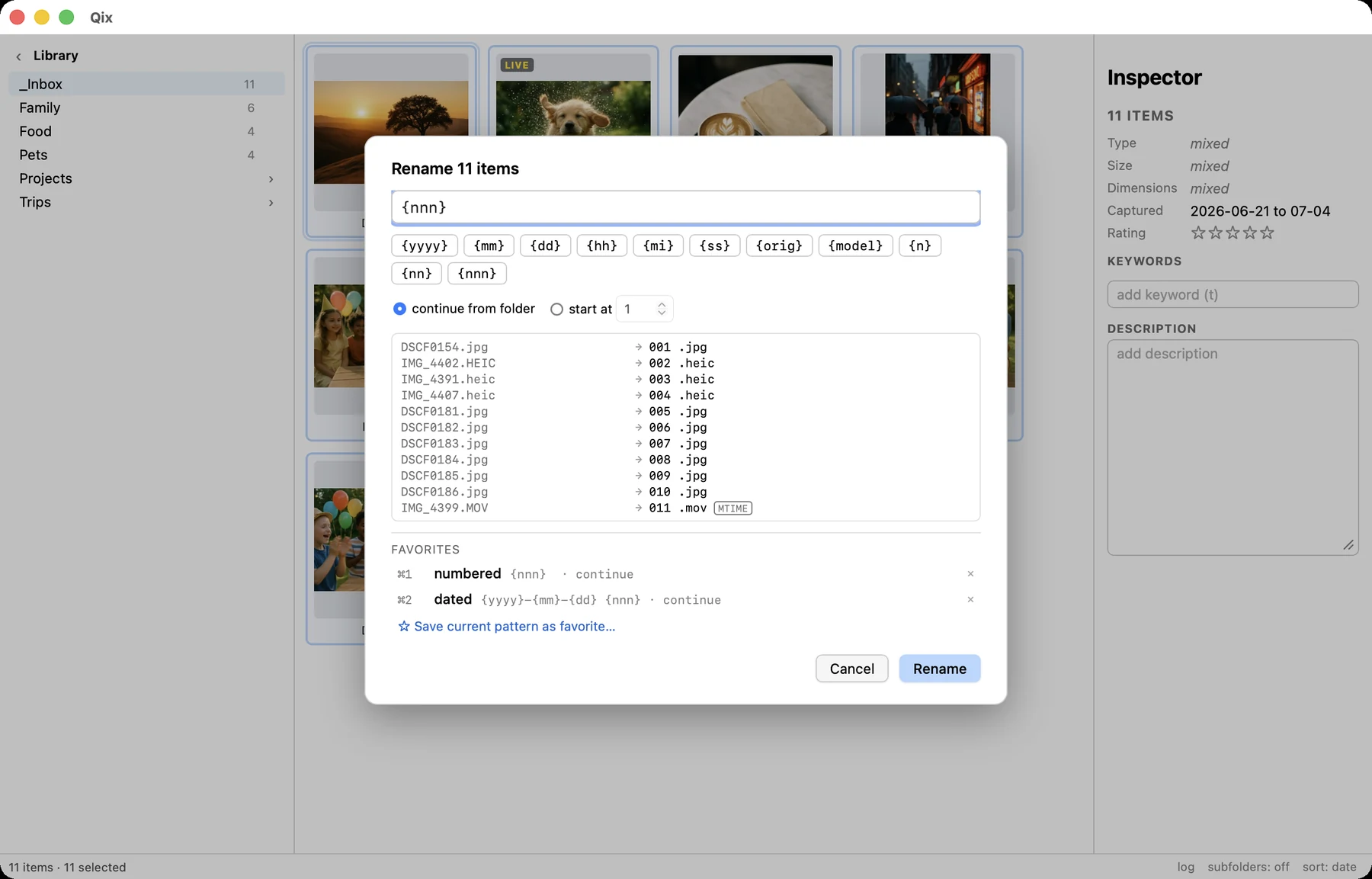
⌘R opens batch rename: date and sequence tokens, favorite patterns on ⌘1–⌘9, and a live old → new preview of the whole selection. Conflicts are highlighted and block commit. Numbering continues from what's already in the folder, so 018 follows 017 even across sessions.
The rules Qix will not break.
These are not settings. They're invariants, encoded as tests that must never regress:
- No file is ever deleted — only moved to the macOS Trash, where you can get it back.
- No file is ever overwritten. Every write goes to a temp file and lands with an atomic rename.
- Live pairs are atomic. Both members or neither; basenames stay in sync. A fuzz test hammers this with randomized operations.
- Imports are verified before they're recorded — a half-written file is never marked as imported.
- Caches are disposable. Delete every cache and you lose nothing but speed. The filesystem is the only ground truth.
- External changes abort cleanly. Every operation re-checks its targets at the last moment; if something else moved your file, Qix stops rather than guesses.
- Photos.app is read-only territory. Qix never modifies your Photos library. Ever.
See the whole picture.
From first import to a filed, keyworded, rated library — the manual walks the full workflow.
Open the manual