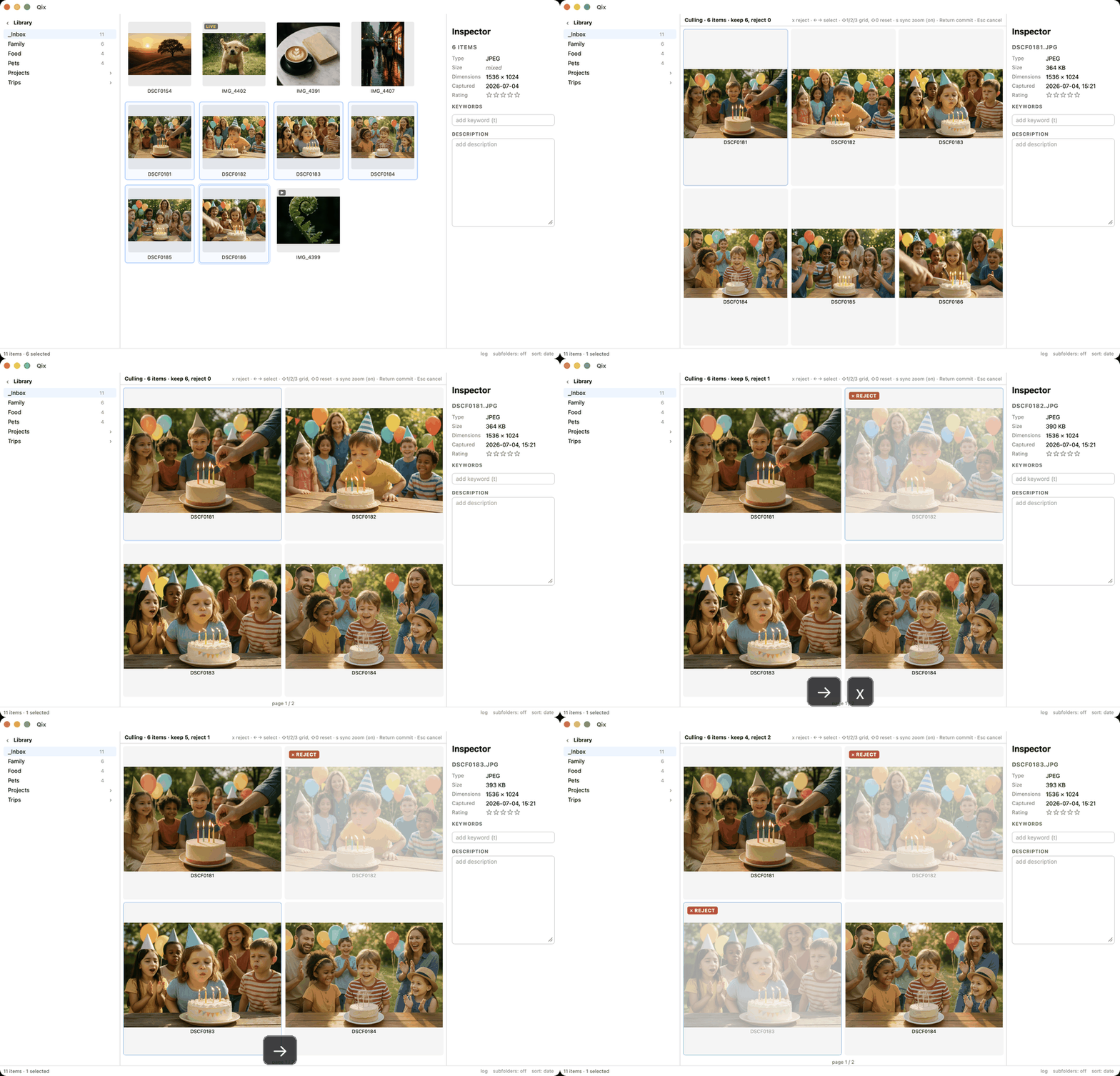
Culling
Ten frames of the same moment, one keeper. Culling mode puts near-duplicates side by side with synchronized zoom, and turns "which one is sharpest?" into a few keystrokes.
Getting in
Two entrances:
- Similar groups. Qix outlines runs of shots taken within a few seconds of each other on the same camera at the same resolution (the gap is configurable; default 3 s). Press c on any member and the whole group opens in culling.
- Any selection. Select the candidates yourself and press c.
Comparing
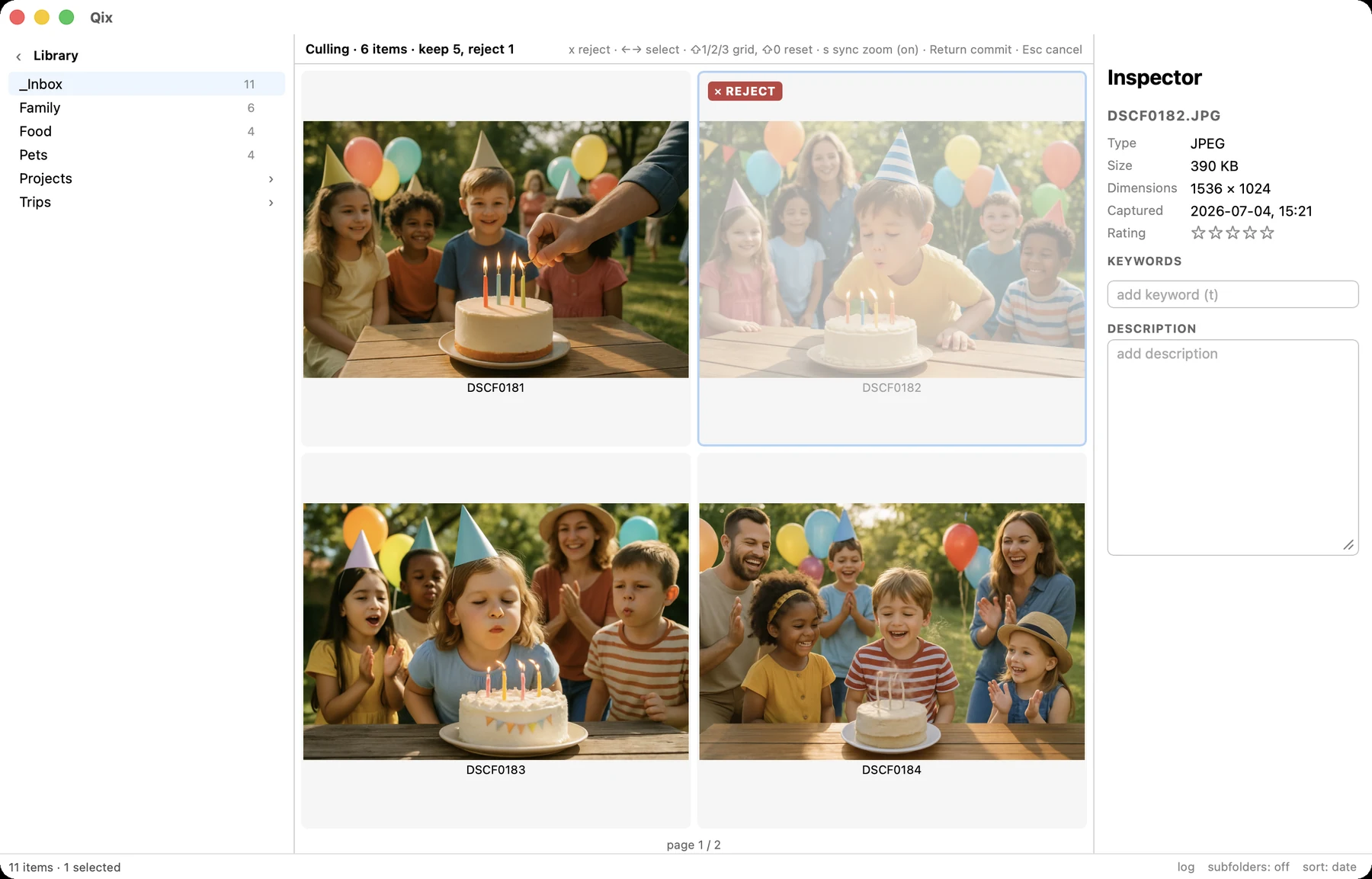
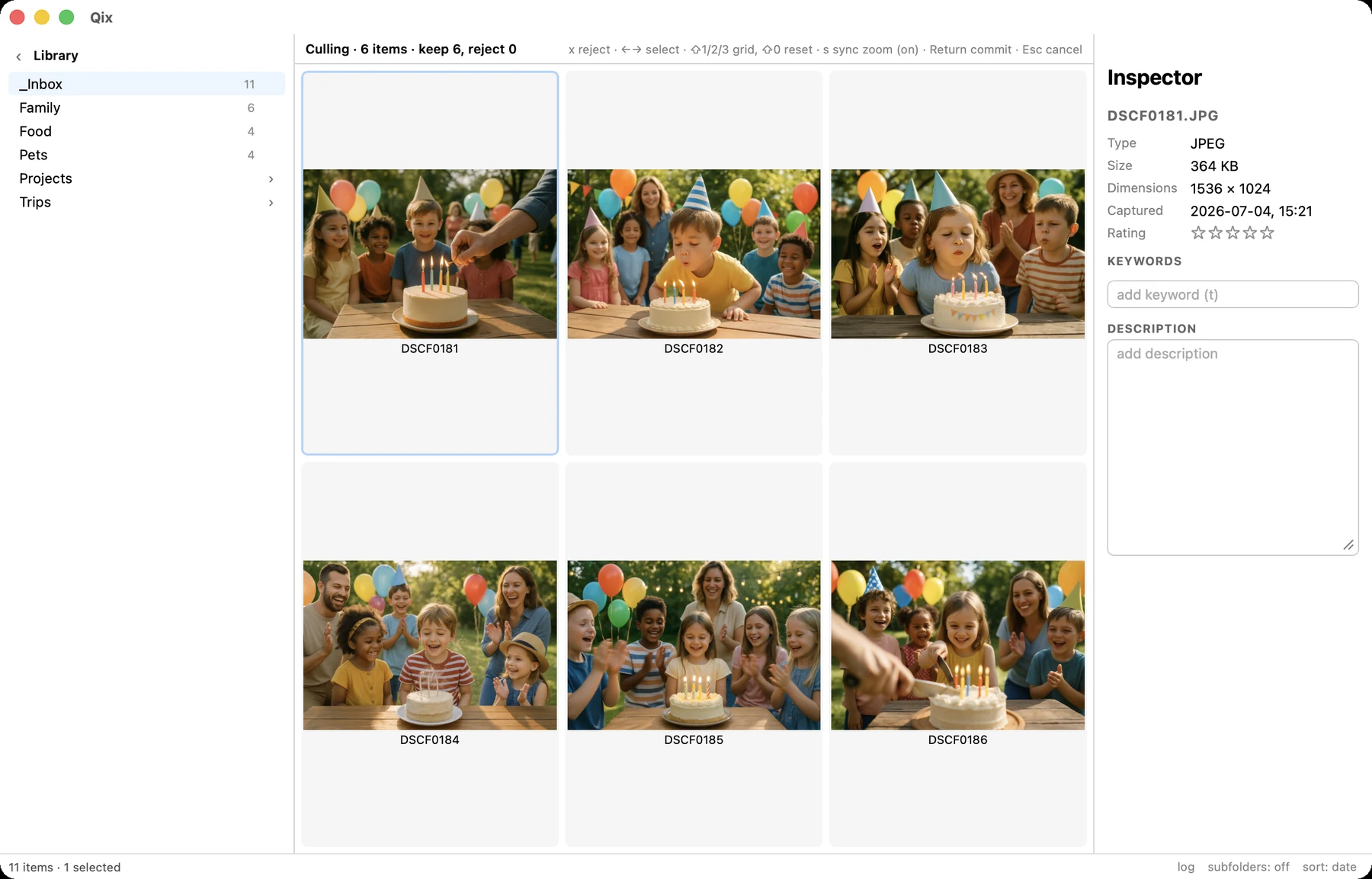
Items lay out n-up — as many panes as items, up to 9, with paging beyond that. ⇧1, ⇧2, ⇧3 force 1×1, 2×2, 3×3; ⇧0 returns to the automatic layout.
Zoom and pan are synchronized across every pane (toggle with s): zoom into an eye in one frame and you're looking at the same eye in all of them. Arrow keys move the pane selection; the selected pane drives the inspector, so 1–5 rates and t keywords the exact image you're examining. Hold Space to preview a Live pair's video on the selected pane.
Verdicts and commit
Each item is either a keep or a reject. x toggles reject on the selected pane — the state is unmistakable (dimmed, badged). When you're done, Return shows the tally — "keep 2, trash 4" — and on confirm the rejects move to the macOS Trash, Live pairs whole, as one undo entry. Esc abandons the session with nothing changed.