Filing & renaming
Filing is typing, not dragging. One palette moves anything anywhere in a few letters, and one rename engine gives files honest, predictable names on the way.
The quick-move palette m
Press m with anything selected and type a few letters of the destination: fuzzy matching means jap finds Trips/Japan 2025 and gard finds Projects/Garden. Recent destinations rank first — refiling a shoot into the same three folders is two keystrokes each. Mounted sources appear as targets too, below library folders.
Type a path that doesn't exist and the palette offers to create it — new trip, new folder, no detour.
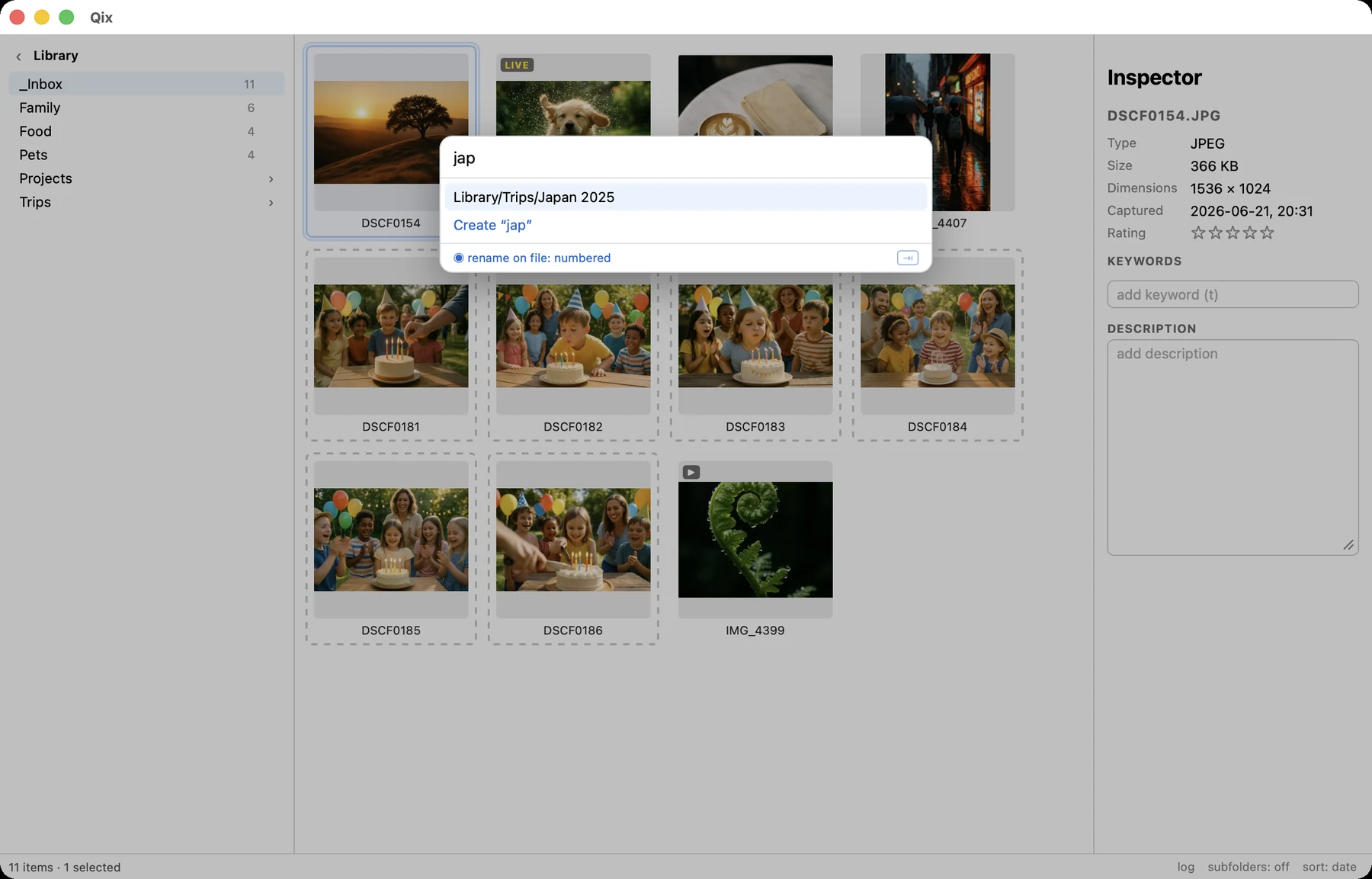
The same palette opens in go-to mode with g — identical search, but Return navigates instead of moving.
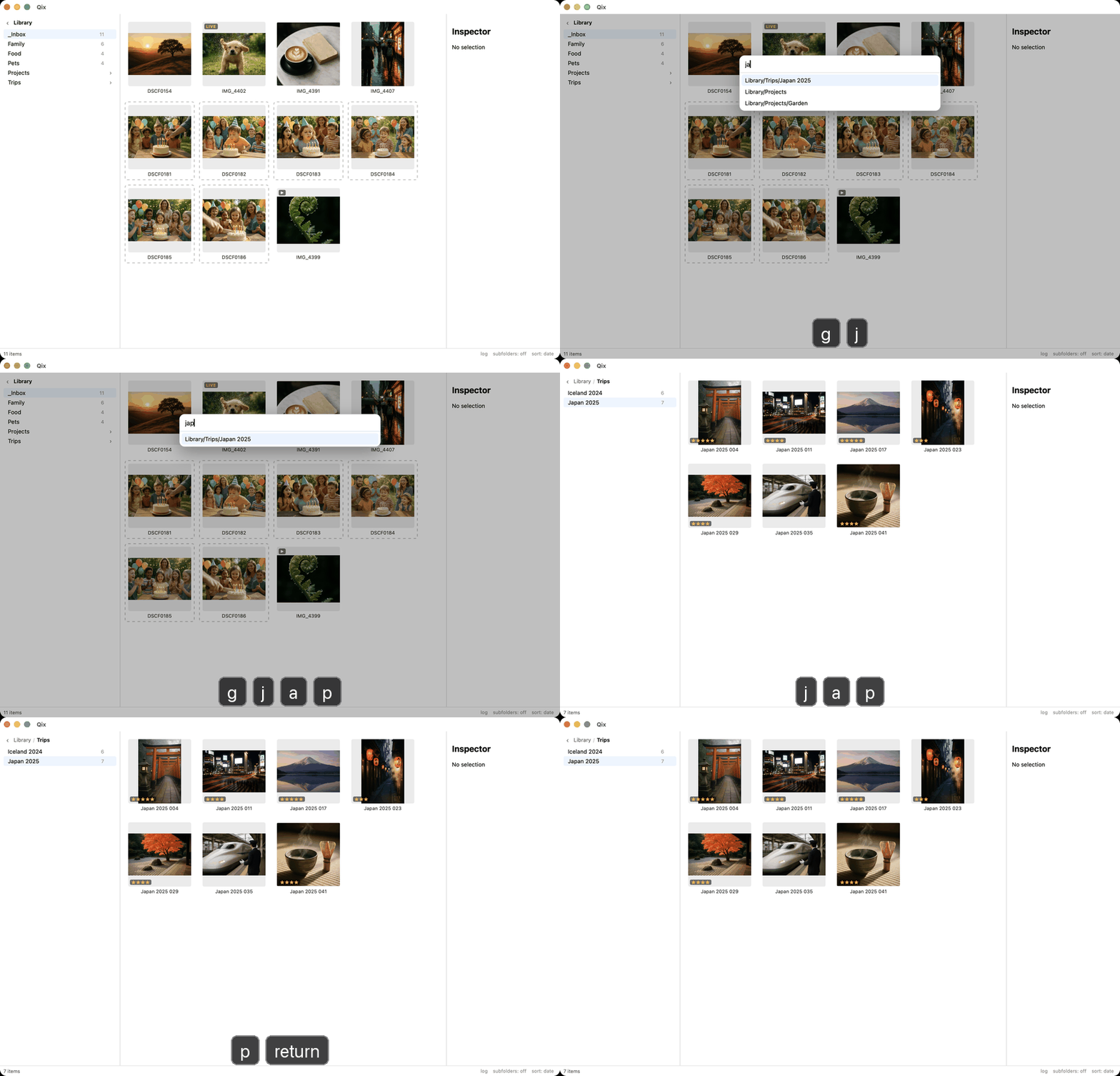
Rename on file
The palette's rename toggle (default set in config, switchable per move with Tab) renames files by your default pattern as they land — numbering continuing from what's already in the destination. An inbox full of IMG_4407.heic becomes Japan 2025 042.heic, 043, 044… in the same motion that files it.
Cross-volume moves
Moving between disks (a source drive into the library, say) can't be an atomic rename, so Qix does it the paranoid way: copy → verify (size + BLAKE3 hash) → trash the source. The original is never deleted — it goes to the Trash, and only after the destination proves byte-identical. A failed verify leaves both copies intact and tells you.
Batch rename ⌘R
Renames the current selection in place by pattern, with a live preview of every old → new name before anything happens.
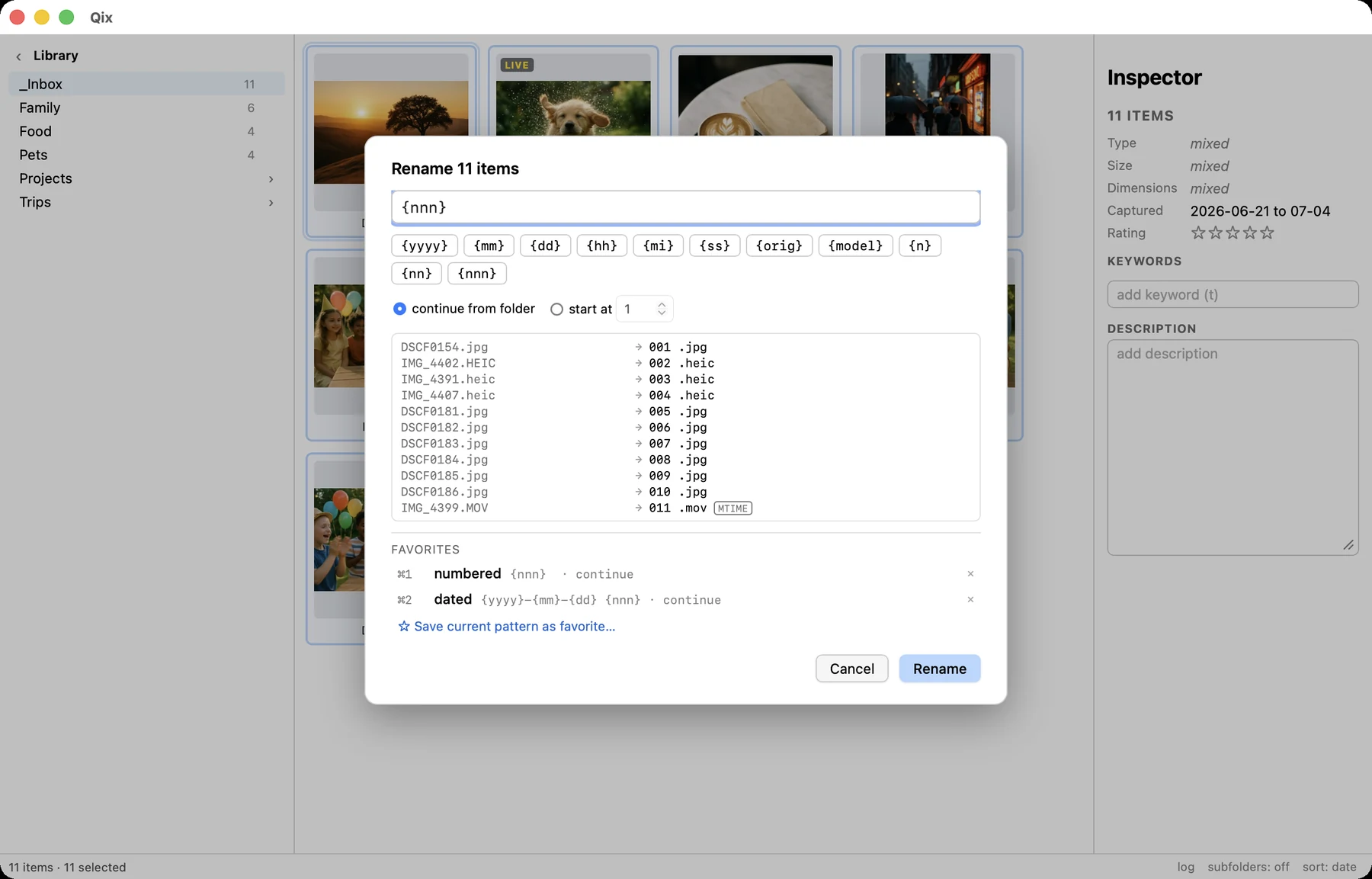
Pattern tokens
| Token | Renders as |
|---|---|
{yyyy} {yy} {mm} {dd} | capture date (EXIF, file-date fallback) |
{hh} {mi} {ss} | capture time |
{orig} | the original basename |
{model} | camera model, slugified (iphone15pro) |
{n} {nn} {nnn}… | sequence number; letter count sets zero-padding |
{{ }} | literal braces |
The extension is never part of the pattern and always survives (lowercased, if configured).
Numbering that behaves
- Continue from folder (the default): Qix scans the target folder for names matching the pattern and starts above the highest —
001–017present means the next is018. Gaps are never reused; predictability beats density. - Per-stem counters: a pattern with date tokens restarts numbering each day —
2025-04-01 001,002, then2025-04-02 001. - Pairs count once: a Live Photo consumes one number and both members share the name.
Conflicts — against the disk or within the batch — are highlighted in the preview and block commit, with a one-click "append {nnn}" fix. Files missing EXIF dates are flagged with the file-date fallback they'd use. The commit re-validates everything at the last moment and executes as a single undo entry.
Odds and ends
- F2 renames a single item freeform — pair-atomically, like everything else.
- ⌫ or d moves the selection to the Trash (with confirmation above ten items).
- ⌘N creates a folder in the browser, landing selected and ready.