Ratings, keywords & captions
All metadata lives in the files, written through exiftool in the standard fields other tools read. There is no keyword database to lose, export, or migrate — the pictures carry their own tags.
The inspector
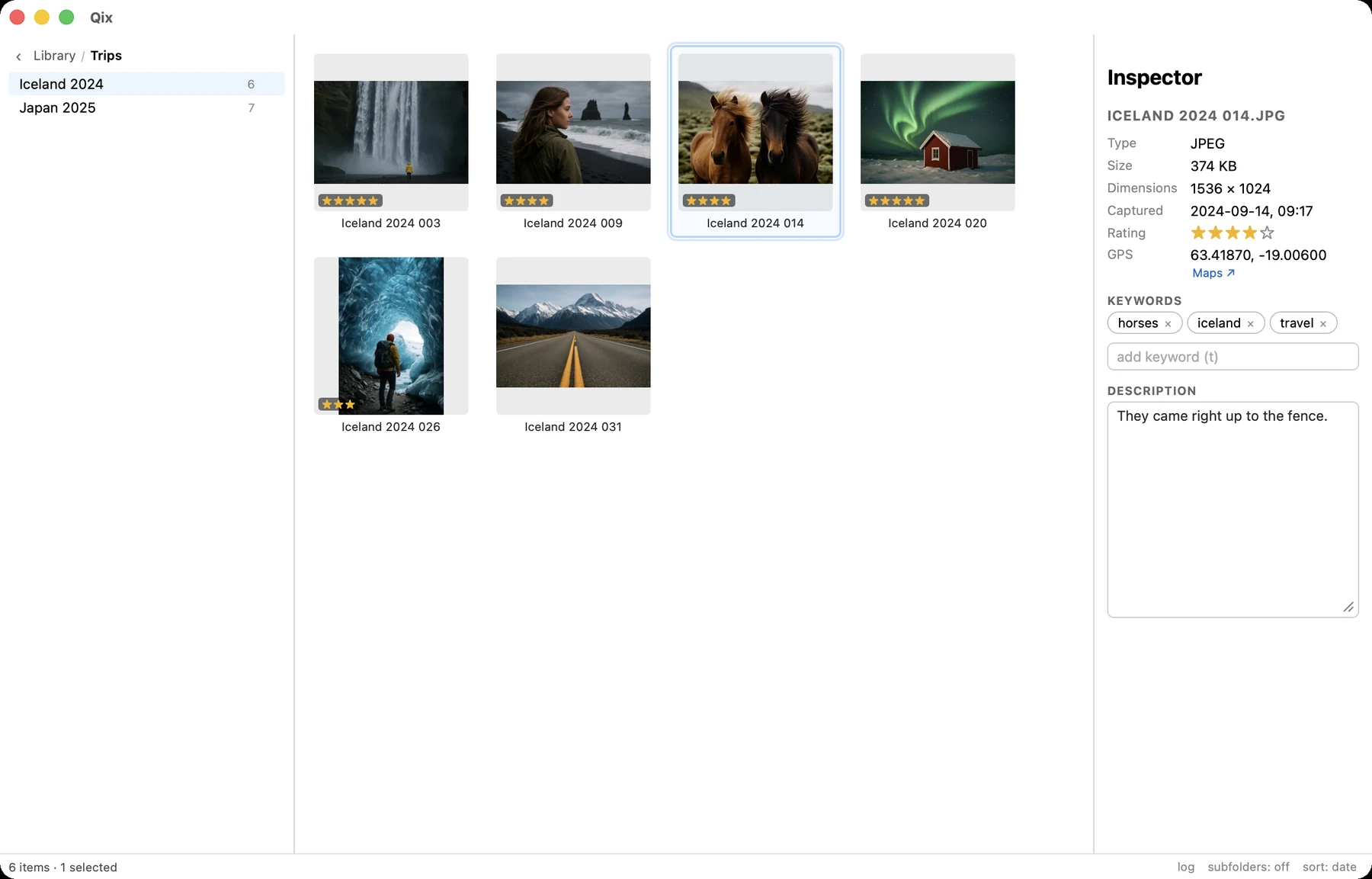
The right panel shows the selection's metadata: filename, type and size, dimensions, capture date and time, rating stars, GPS (with an open-in-Maps link), keywords, and a roomy caption field. Toggle it with i.
With multiple items selected it shows common values or "mixed" — except capture, which becomes a date range that elides down to what actually differs: 2025-07-03 to 05.
Ratings 1–5, 0
Press 1–5 to rate the selection — in the grid, the viewer, or a culling pane. Press the current rating again (or 0) to clear. Stars appear on grid thumbnails, and the rating sort puts the best first.
Ratings are XMP-xmp:Rating — the cross-DAM standard. Lightroom, Bridge, and Photos all read the same stars.
Keywords t
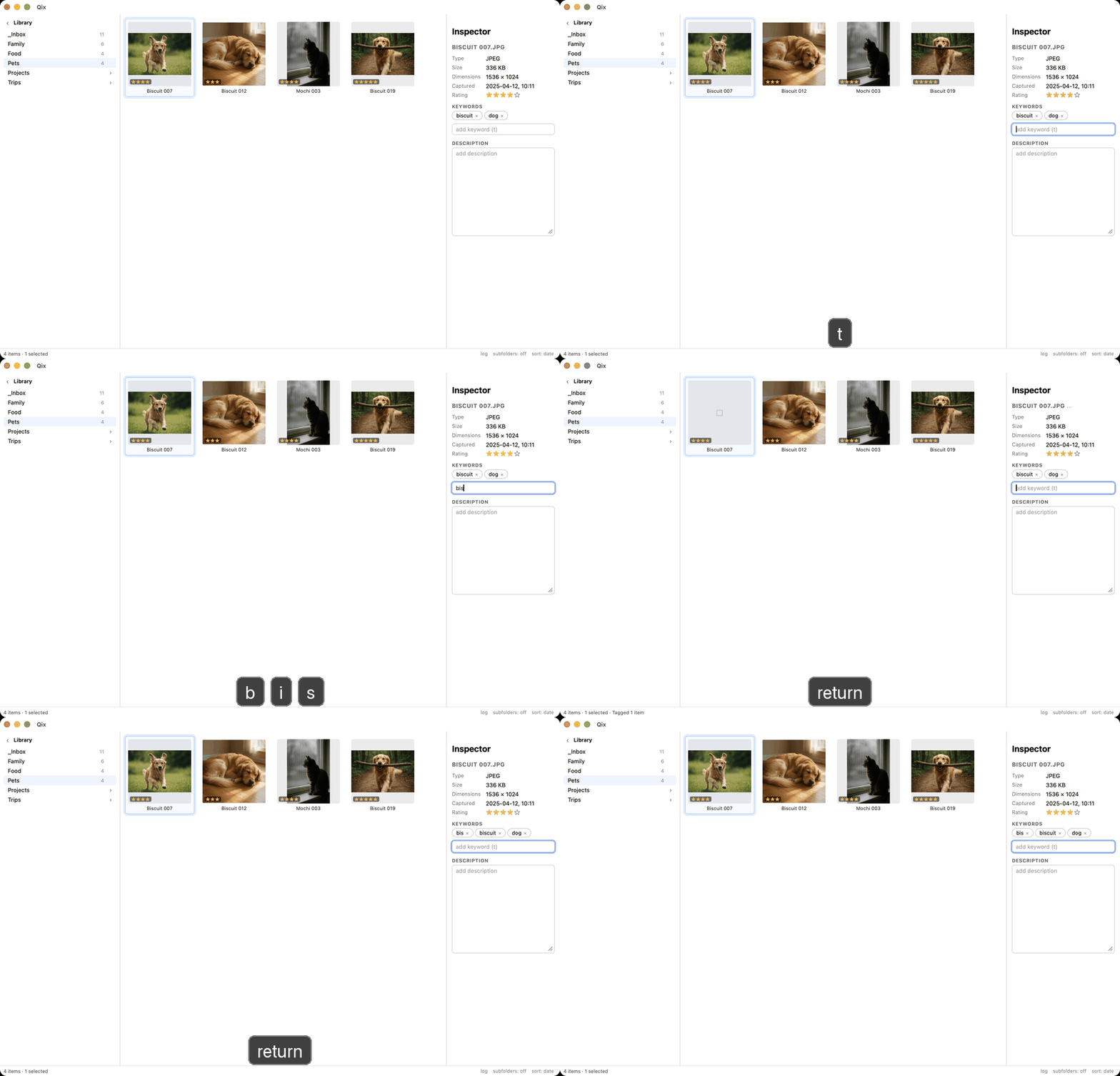
Press t anywhere — grid, viewer, culling — and the keyword field focuses. It edits the whole selection as a batch: tags common to every item show solid, partial ones show an "on some" state, and adding or removing applies across the board.
Autocomplete opens from the first character: suggestions come from the keywords already in your library, ranked by frequency with prefix matches first. Enter takes the highlighted suggestion, or creates the typed keyword — matching an existing keyword's casing rather than inventing Travel next to travel.
Where keywords are written
XMP-dc:Subject is canonical and written everywhere; IPTC:Keywords is written alongside where the container actually supports it (JPEG). That caveat exists because exiftool silently ignores IPTC writes on HEIC — it reports success and writes nothing — so Qix carries explicit per-format capability instead of trusting exit codes, and verifies every write by reading it back.
Captions
The caption field writes the MWG description, which keeps EXIF ImageDescription, XMP dc:description, and IPTC Caption-Abstract in sync. Return commits (⇧Return for a newline), Esc reverts — and an untouched empty field over a mixed selection never mass-clears anything.
The fine print that keeps it safe
- Verified writes: every metadata write is re-read afterward and compared. A write that didn't stick is an error, not a shrug.
- Atomic: exiftool's temp-file + rename discipline means a crash mid-write leaves the original untouched.
- Pair-aware: for Live Photos, metadata goes on the image member; the pair stays together anyway.
- Undoable: each batch is one journal entry — ⌘Z restores the exact previous values, ratings and keywords alike.