Search
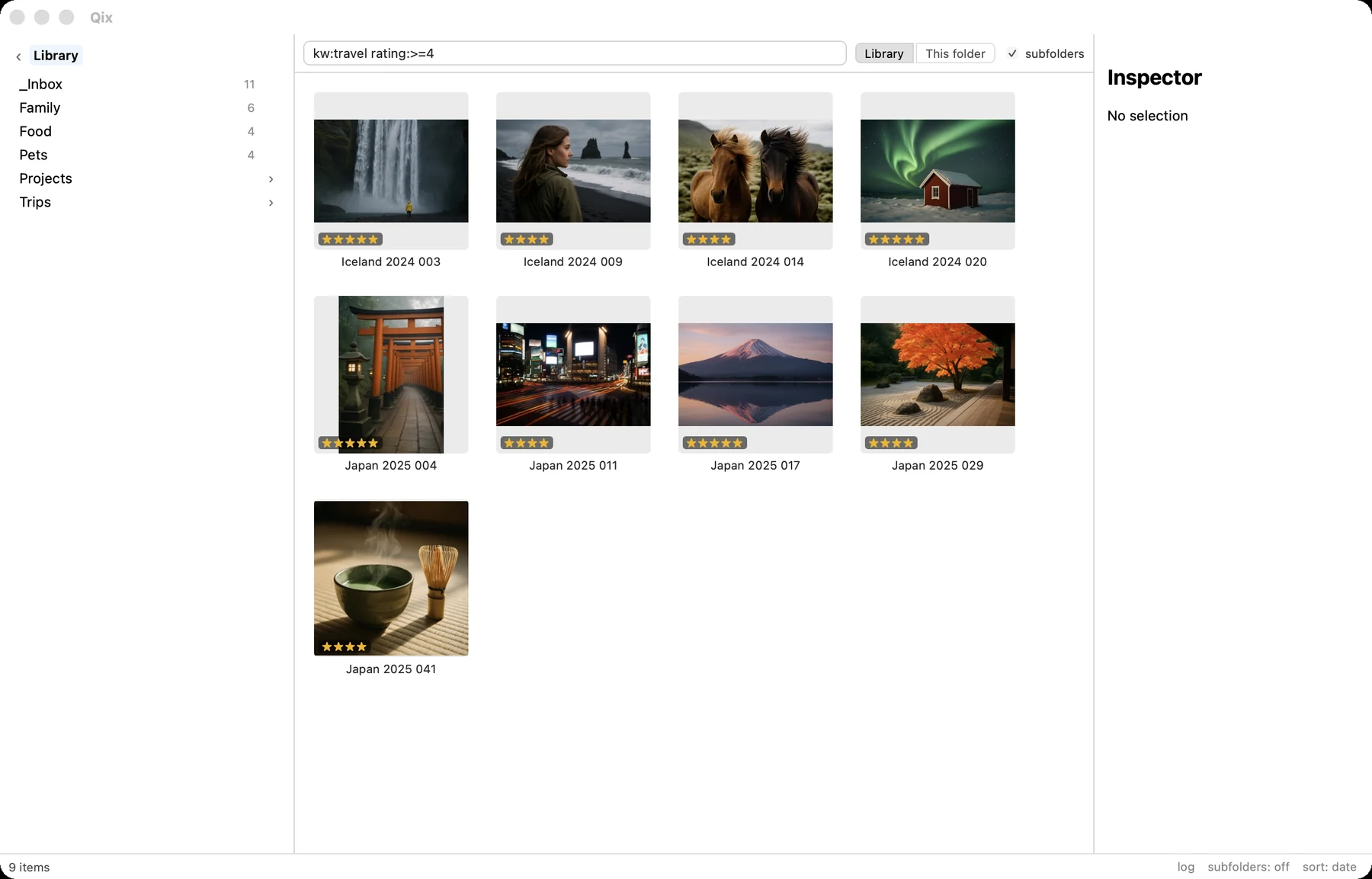
Library-wide, live as you type, and the results are a real grid — everything you can do to a folder you can do to a result set.
The basics ⌘F
⌘F opens the search bar above the grid. Results update with every keystroke, running against the in-memory metadata index — no disk reads, no waiting. Enter hands the keyboard back to the grid; Esc closes the search and restores the folder you came from.
Because results feed the same grid, the entire toolset works on them: rate, keyword, open the viewer, batch rename, m to refile. The status bar shows the focused hit's home folder, and r jumps you there with the item selected.
The grammar
Terms are separated by spaces and ANDed; a leading - negates a term.
| Term | Matches |
|---|---|
ramen | loose text — path or caption, case-insensitive |
kw:travel | keyword substring |
camera:x-t5 | camera model, ignoring case and spaces |
rating:>=4 | rating comparisons: > >= < <=, exact N, or rating:none |
has:gps | presence: gps, description, keywords, rating |
2025-04 | capture in that year / month / day (2025, 2025-04, 2025-04-01) |
2024-09..2025-04 | inclusive capture-date range |
-food | excludes matches of the term |
A few that earn their keep:
kw:travel rating:>=4— the good travel shots.rating:none 2026— this year's photos you never got around to rating.has:gps -kw:japan— located shots that aren't from the Japan trip.camera:x-t5 2025-04— one camera, one month.
Anything malformed — an unknown x:y prefix, an impossible date — quietly degrades to loose text. The search box never errors at you.
Scope
Search covers the whole library by default, or just the folder you started from, with a subfolders checkbox for either. (The index is built from library files, so sources aren't searchable — browse them directly.)
rating: query updates immediately; move files in Finder and the results follow.